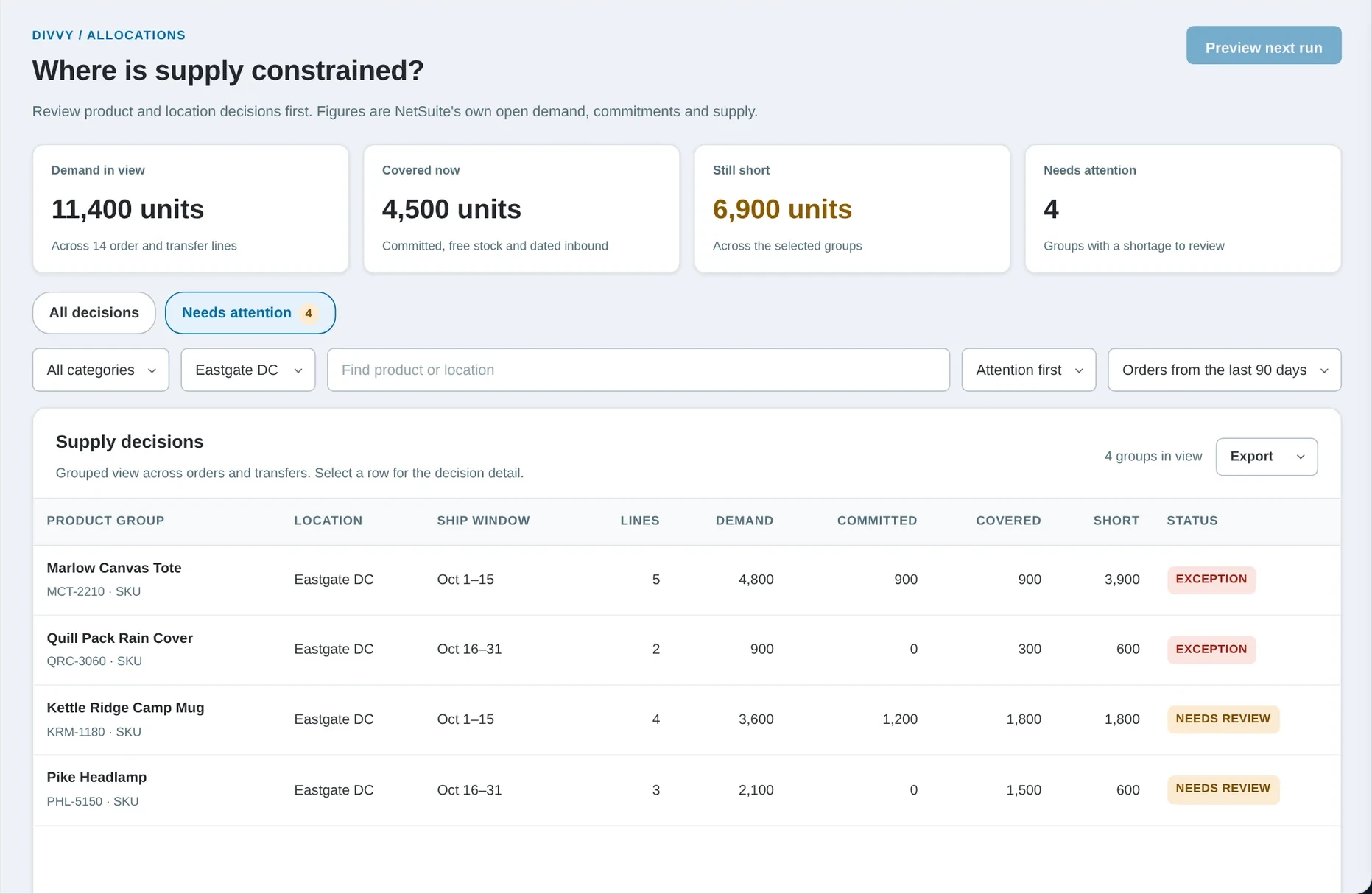
 Coming soonDivvy / Supply shortages
See where supply runs short.
Open demand set against commitments, stock and inbound supply, with the reasoning behind each shortage.
See the Divvy demosYTBE SuiteApps for NetSuite
SuiteApps that install into your own NetSuite account: verified query building, cost and margin from posted accounting lines, a governed report catalog and order entry by size and color. Three of them also give AI the business context NetSuite lacks.
CostLens. Landed-cost margins and inventory aging you can trace.
Explore CostLens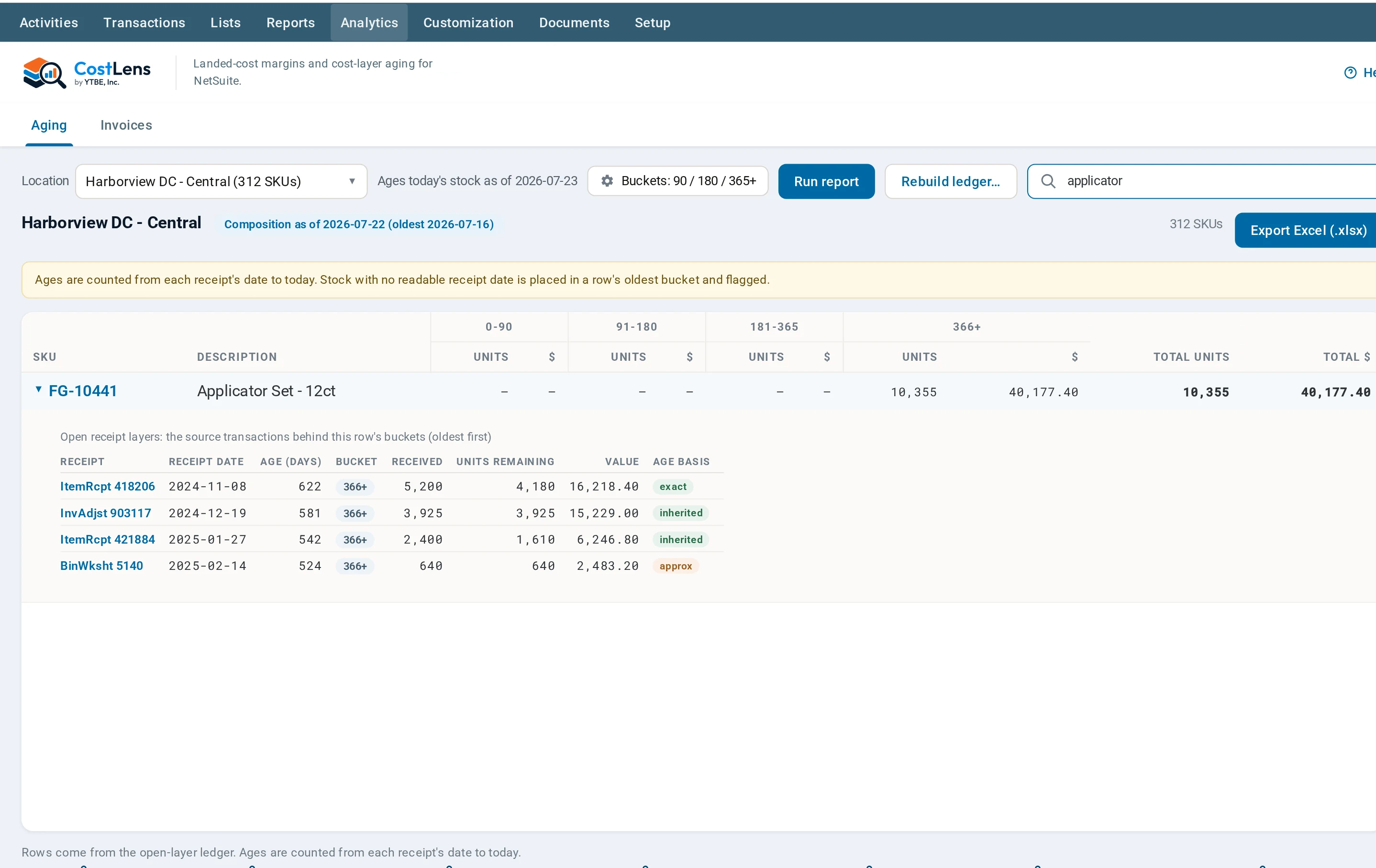
SuiteApps and AI
AI in NetSuite can only answer from the context it has. Three of our apps fill gaps in that context and give AI tools to call. Here is what exists today and what is next.
AI works from the fields and tables found in your account, including your custom ones, and CraftQL reviews a query before it runs.
See the CraftQL demos LexiconThe gap: what your numbers meanAI can find the report your team marked as the one to trust, and explain what a metric means in your business.
See the Lexicon demos CostLensThe gap: what your stock really costCostLens rebuilds cost from posted accounting lines for FIFO, LIFO and lot or serial costed items. AI can ask it for landed-cost breakdowns, and for inventory aging on FIFO items.
See the CostLens demosBuilt: written and tested. Planned: designed, not built yet. The tools run under the role of the person who connected the AI.
The SuiteApps
Each SuiteApp page has guided demos with invented data. No sign‑up, and no access to your account.
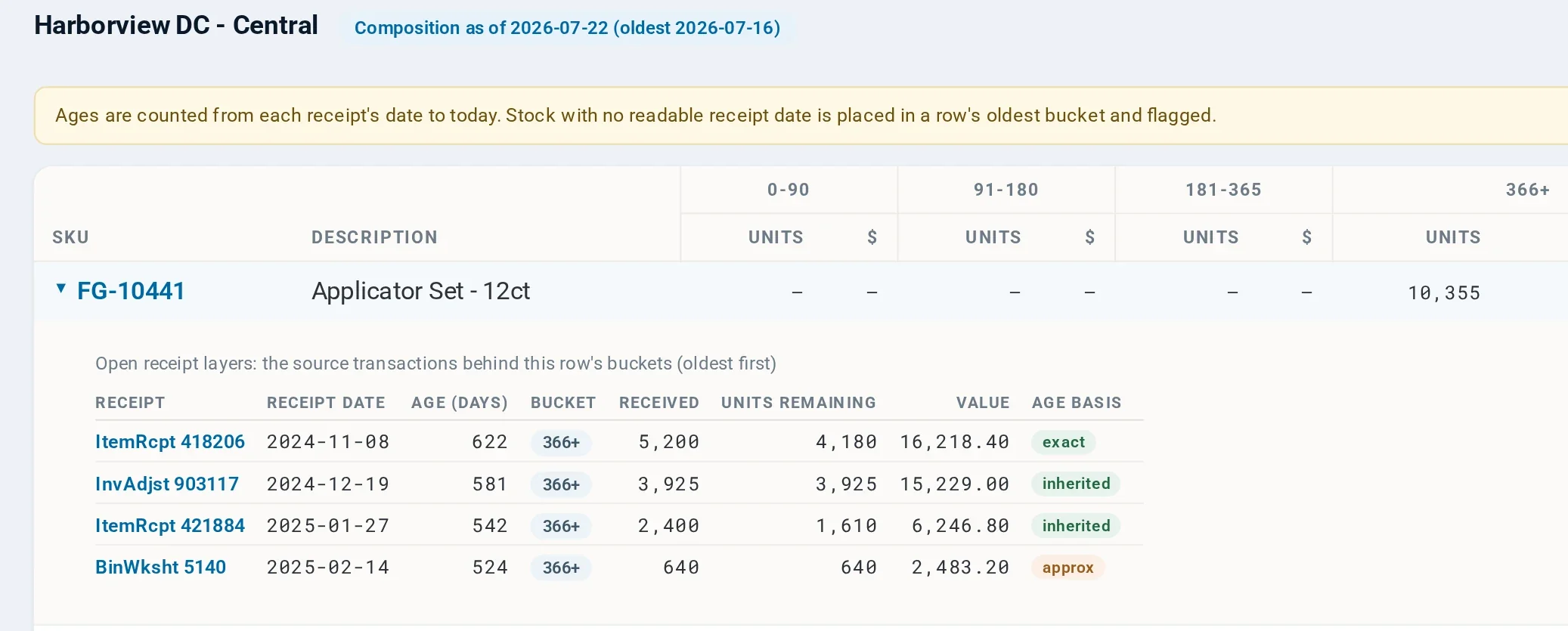
 CostLens / Inventory & margins
Understand landed-cost margins and inventory aging, with the detail behind every number.
See the CostLens demos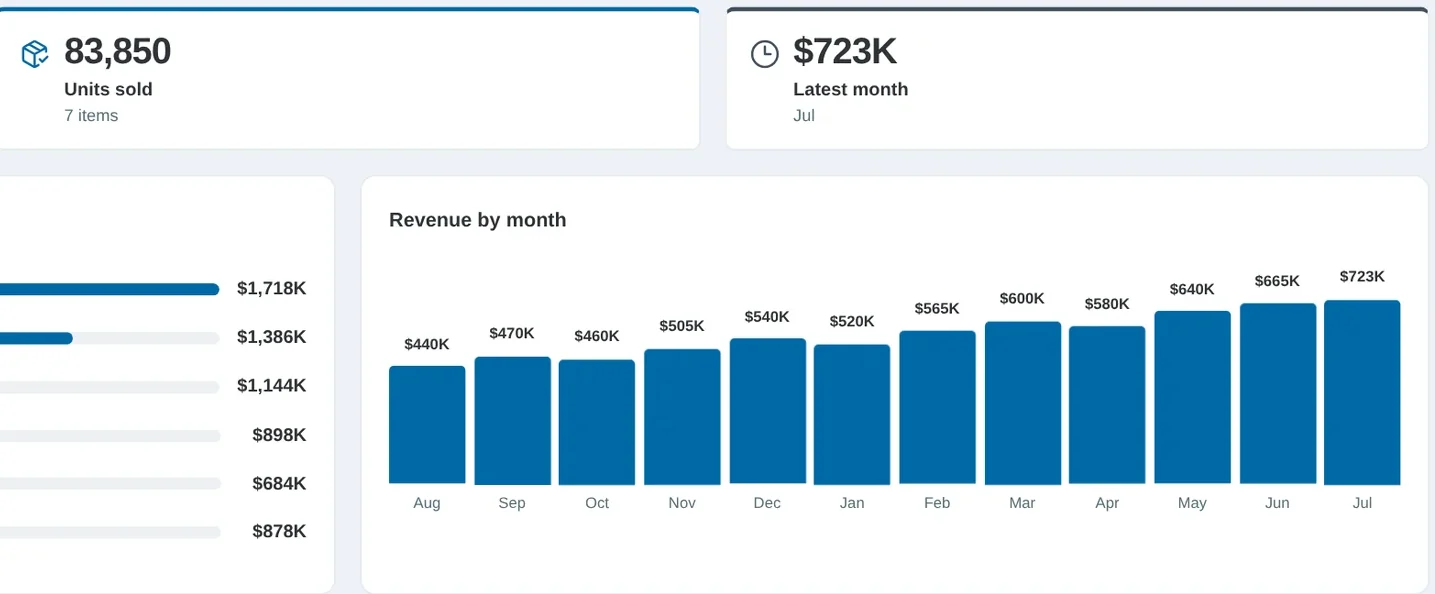
 CraftQL / Reporting
Build SuiteQL reports checked against your actual account schema and user roles.
See the CraftQL demos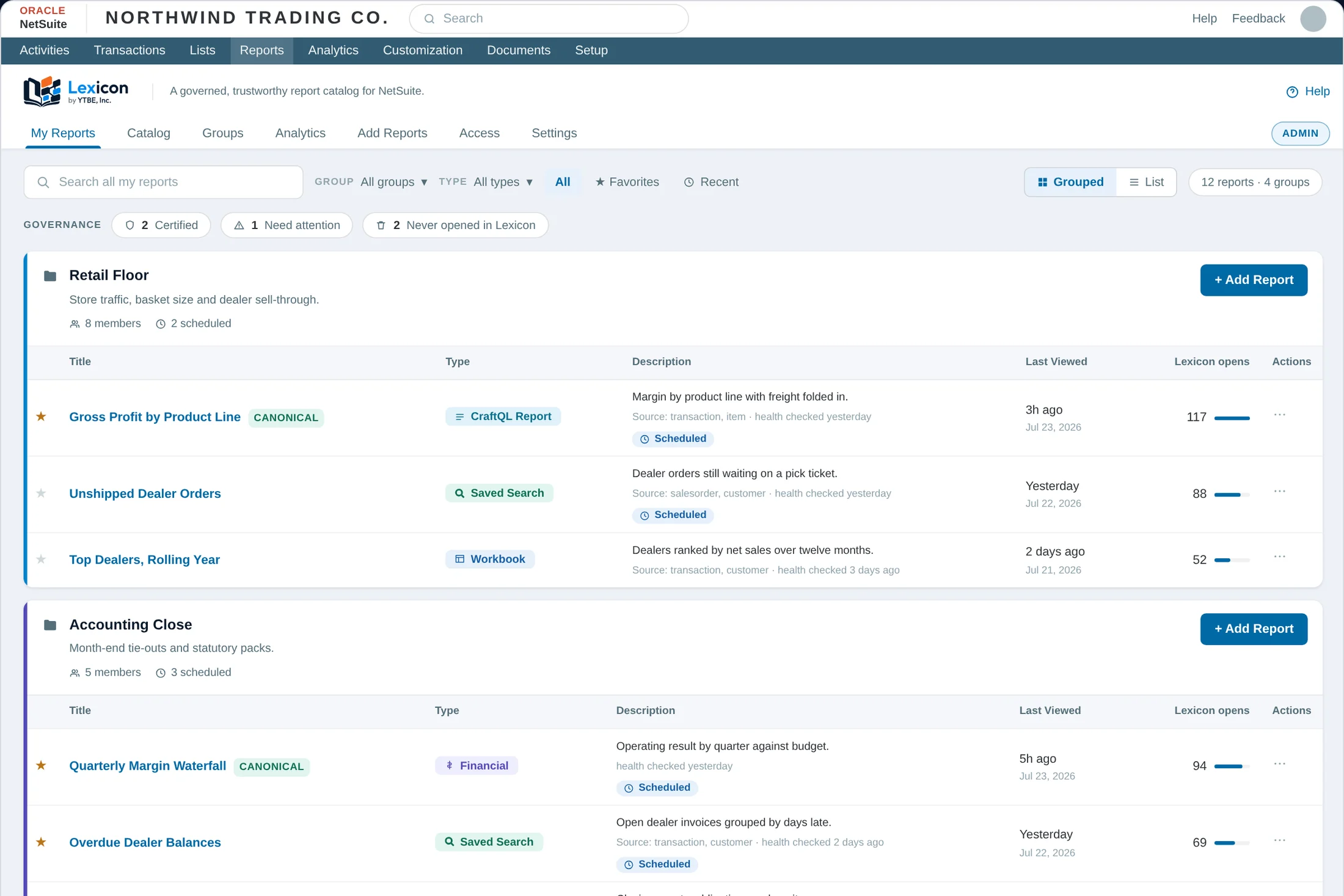
 Lexicon / Report governance
Give your reports clear owners, definitions and permissions in one governed catalog.
See the Lexicon demos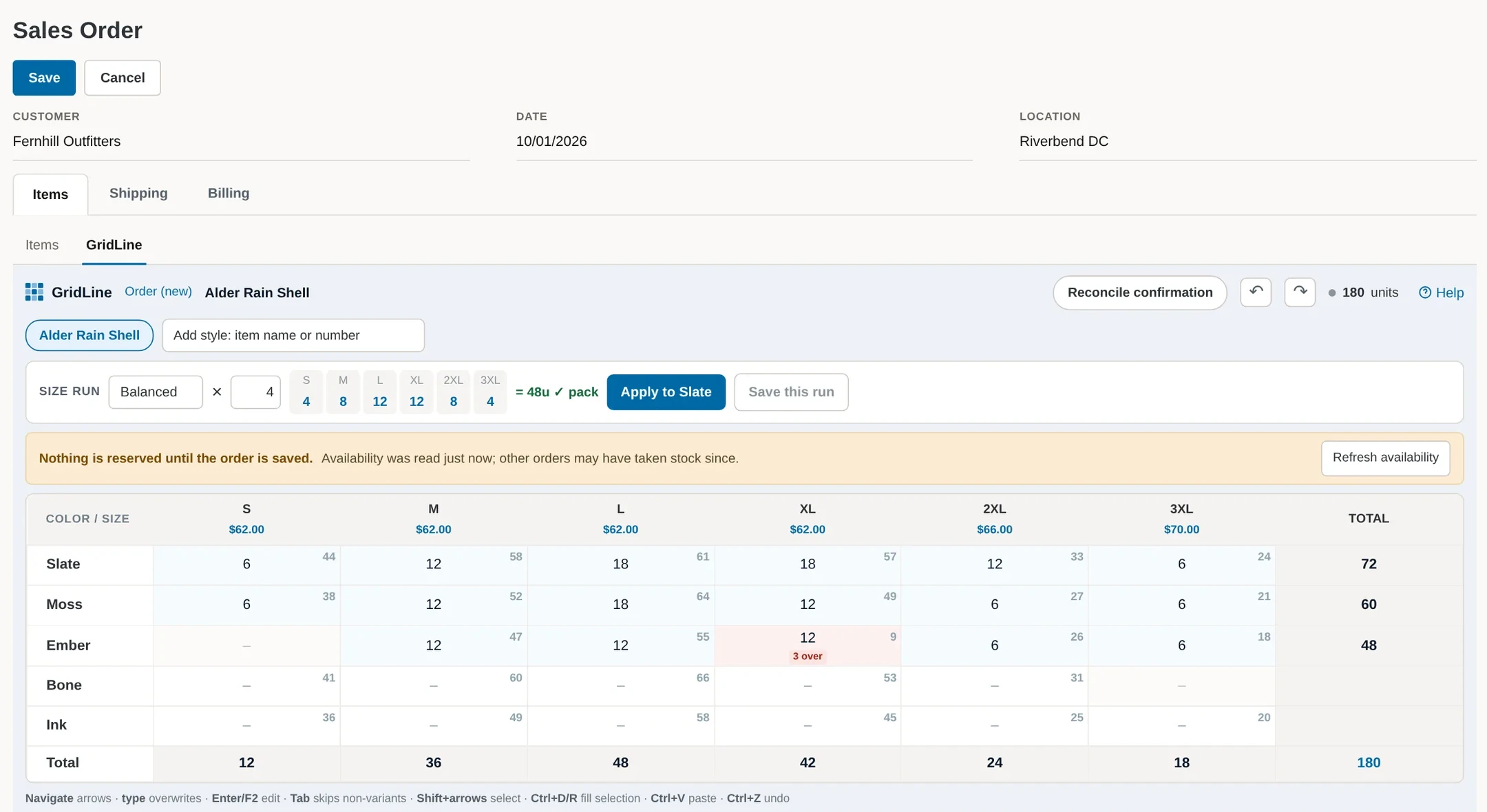
 GridLine / Order entry
Work with size and color together, directly on the NetSuite sales order.
See the GridLine demos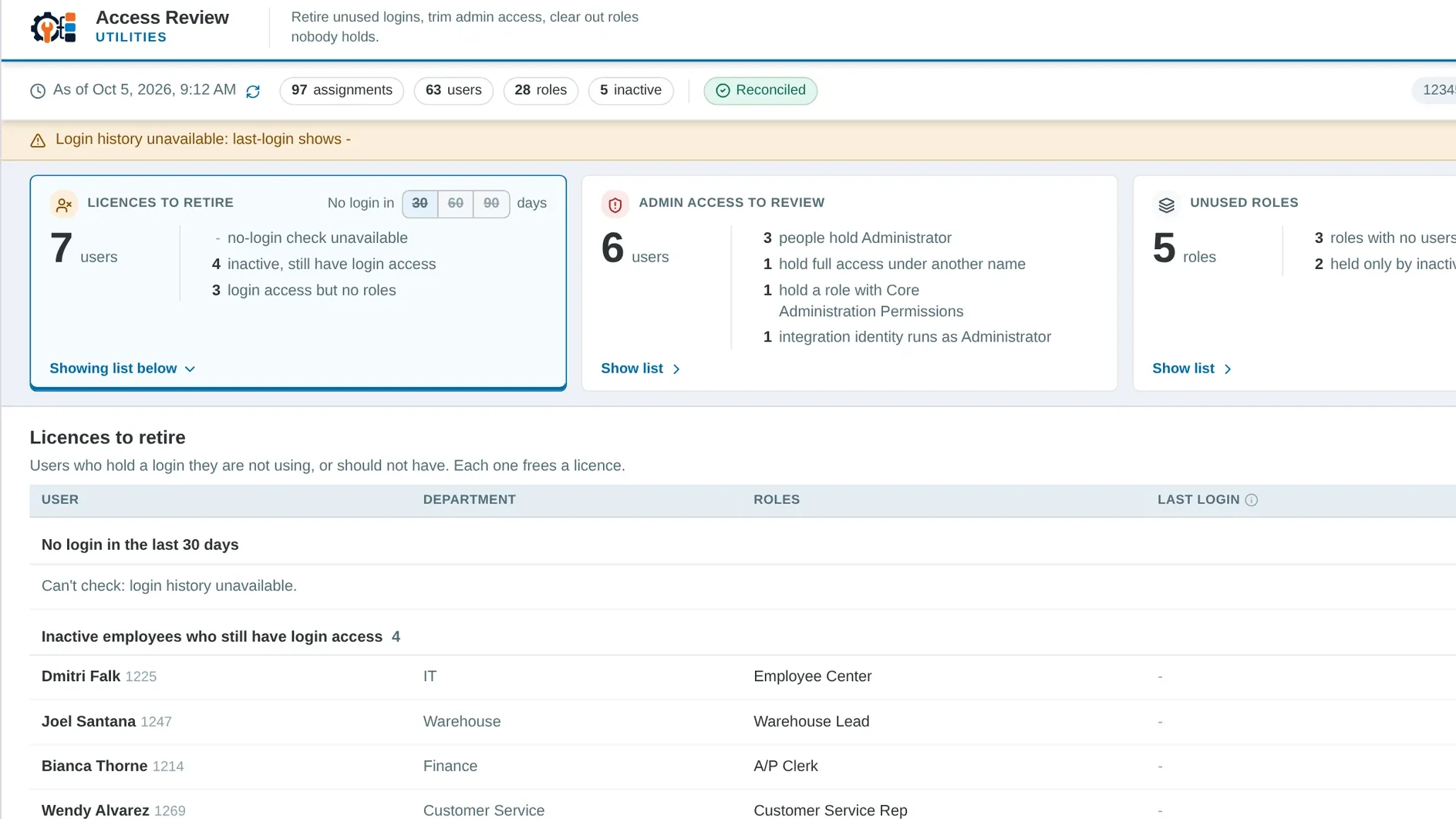
 Utilities / Admin tools
Saved searches that survive a sandbox refresh, and a plain answer to who holds which role.
See the Utilities demosComing soonDivvy / Supply shortagesOpen demand set against commitments, stock and inbound supply, with the reasoning behind each shortage.
See the Divvy demos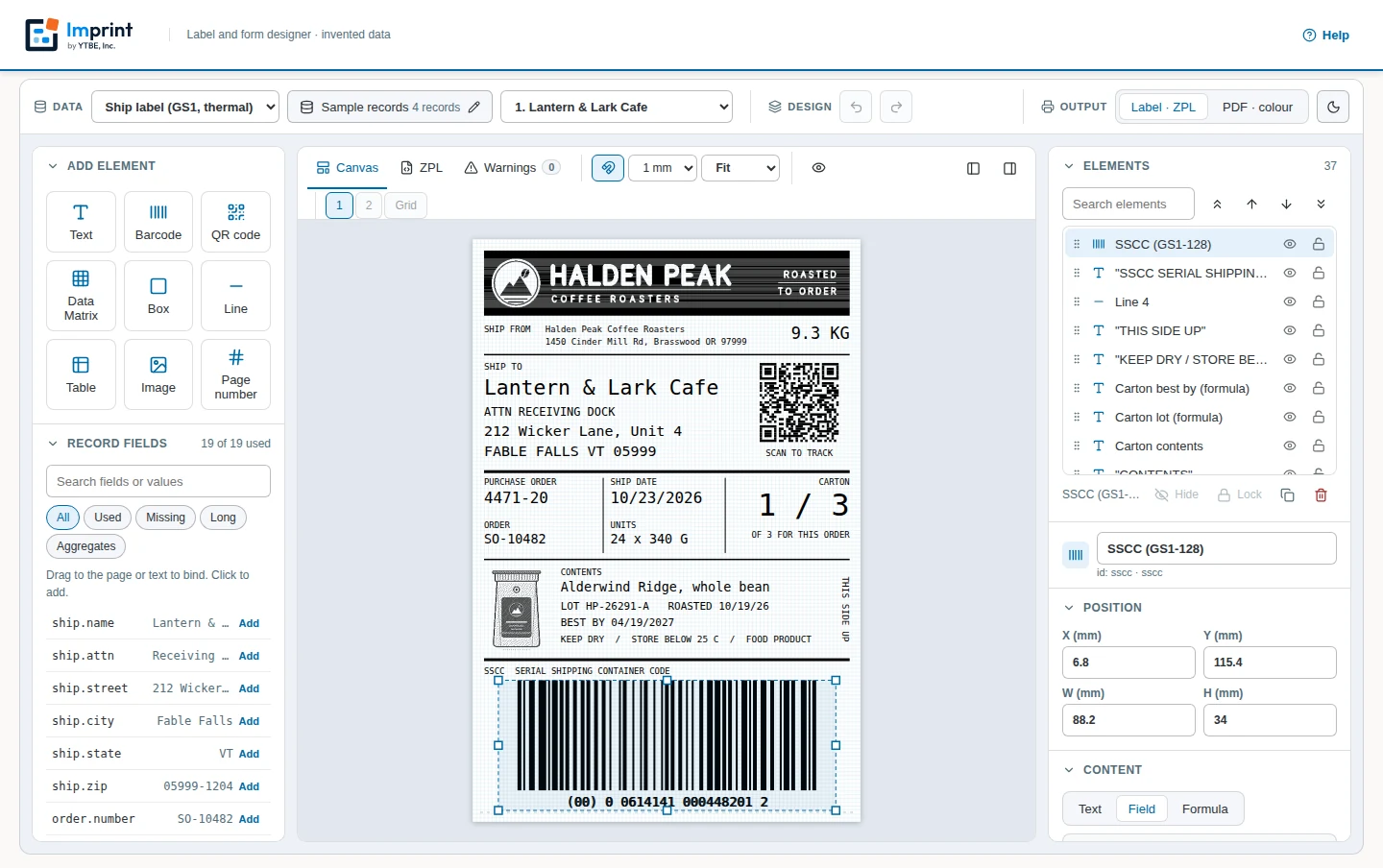
 Coming soonImprint / Labels & forms
A designer for shipping labels and printable forms from your record data. The NetSuite version is in development.
See the demoHow they fit together
Each app has its own licence, so you can buy one without a consulting engagement. Each available app runs inside your NetSuite account and reads the records you already have.
Pricing, demos and trials
Each app has an annual licence, with one-time setup priced separately. Tell us which apps you’re looking at and we’ll send a quote.
Request pricingEvery app page has guided demos you can watch now. For a live walkthrough with us, ask for a demo. No access to your account needed.
Request a demoTry the apps in your own NetSuite sandbox. We agree with you what gets installed and what it reads before anything is installed.
Request a trialCommon questions
Inside your own NetSuite account, as SuiteApps, under NetSuite roles. There is no YTBE server in between.
No. The AI tools run under the role of the person who connected the AI, so it sees what that role can see.
The results of the tools it calls. Those results go to the AI service you connected, under your agreement with that provider. Our tools don’t call an AI model themselves.
Yes. Each app stands alone and has its own licence. Consulting is optional.
FIFO, LIFO and lot or serial costing. Average, Standard and Group costed items show as unavailable rather than estimated. Average costing is on the roadmap.
Not yet. Both are coming soon, and their demos use invented data. We’ll offer them once each is fully built and tested.
Pricing, demos and trials
Tell us what you're trying to solve and we'll point you to the right one.